Spike
AI Summary
Manage your inbox with anAI-powered feed
Web · Desktop App · Mobile App · UX/UI · 2025
Company Background
Collaborative email platform
Spike is a collaborative email platform that transforms email into a chat-like experience.It brings multiple email accounts into a single interface, enables team collaboration through shared workspaces, and integrates AI tools to support writing and message organization.With AI Summary users can switch the feed from the regular view with standard threads to an AI summarized view that highlights condensed threads. They can also view AI generated message summaries directly within individual conversations. tool created to support users in writing messages more efficiently, reducing the mental effort involved in finding the right words and saving time throughout the writing process.
The Problem
Daily long messages slow down users’ ability to process information.
Overwhelming message volume forces users to skim, missing crucial details and wasting time trying to catch up.
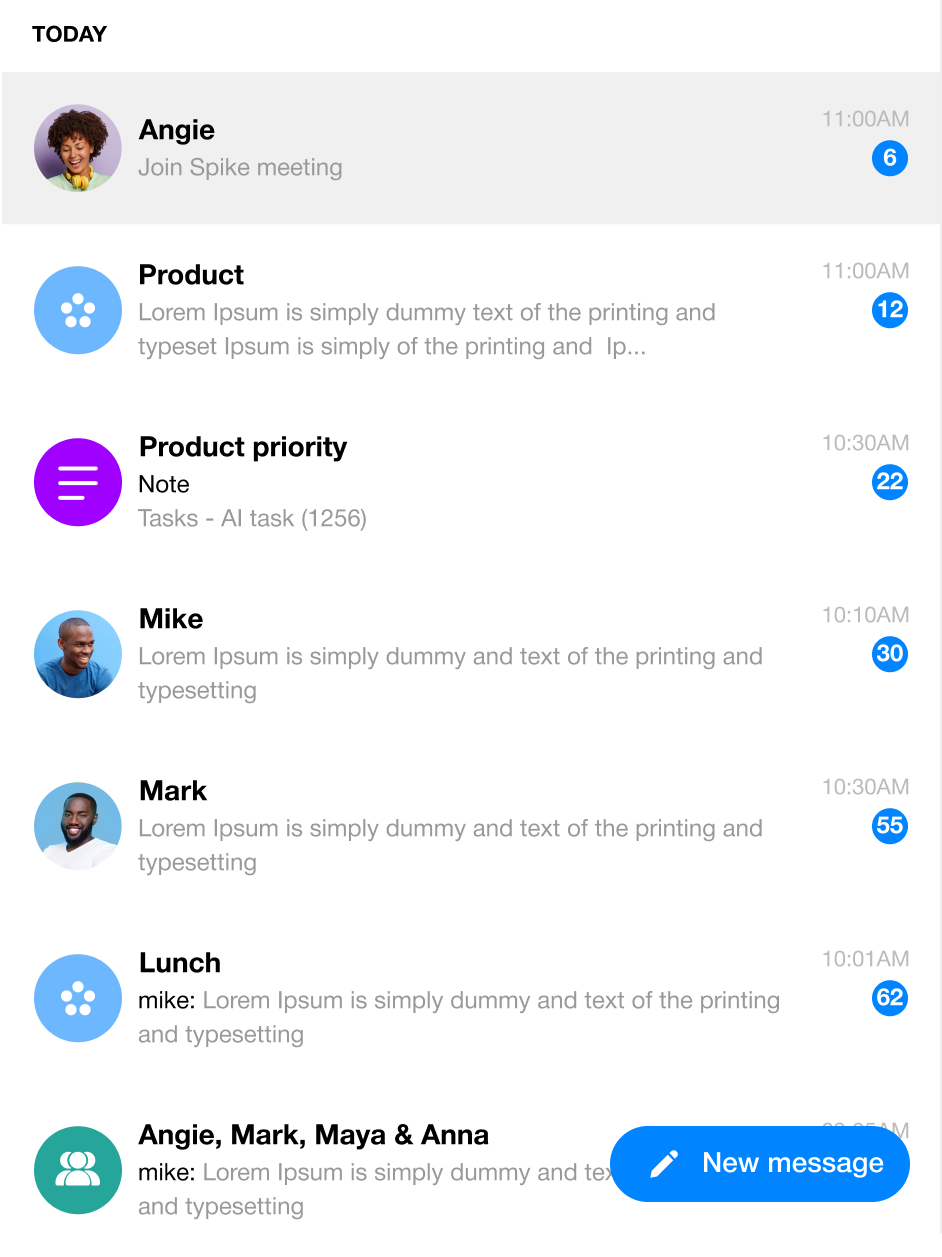
Marketing Research
Email Volume and Efficiency
How much time do users spend reading messages, and how many messages do they need to catch up on?

80-147
Users receive many messages each day.

38%
The messages that are genuinely important.

64 seconds
per message go to distractions,adding up to major focus loss.
Key Insights
What We Discovered from Research?

Too Many Messages
Users are overwhelmed by the number of messages they receive each day, making it hard to tell what’s truly important.

Important Stuff Gets Lost
Important messages that need immediate attention often get lost in the noise of constant notifications and updates.

Delayed Decision Making
Users delay responding to messages because deciding which ones are important takes energy they don’t always have.

Desire for Clarity
Users appreciate information that is clear and to the point, and they want to focus only on what really matters to them.

skip messages
When users are overwhelmed, they tend to skim or ignore messages, increasing the risk of missing or misinterpreting key information.
Solution Overview
AI Feed - Summarize Email Threads
The AI enabled feed streamlines inbox management by providing concise summaries of each email thread before opening it. Users can quickly take key actions, archive, mark as read, or respond without opening individual messages, reducing the time spent navigating and switching between emails.
Additional Feature - Summarize in Conversation
Once a user opens a thread, they can summarize the conversation to extract key points and decisions, making it easier to catch up and stay focused on what matters.
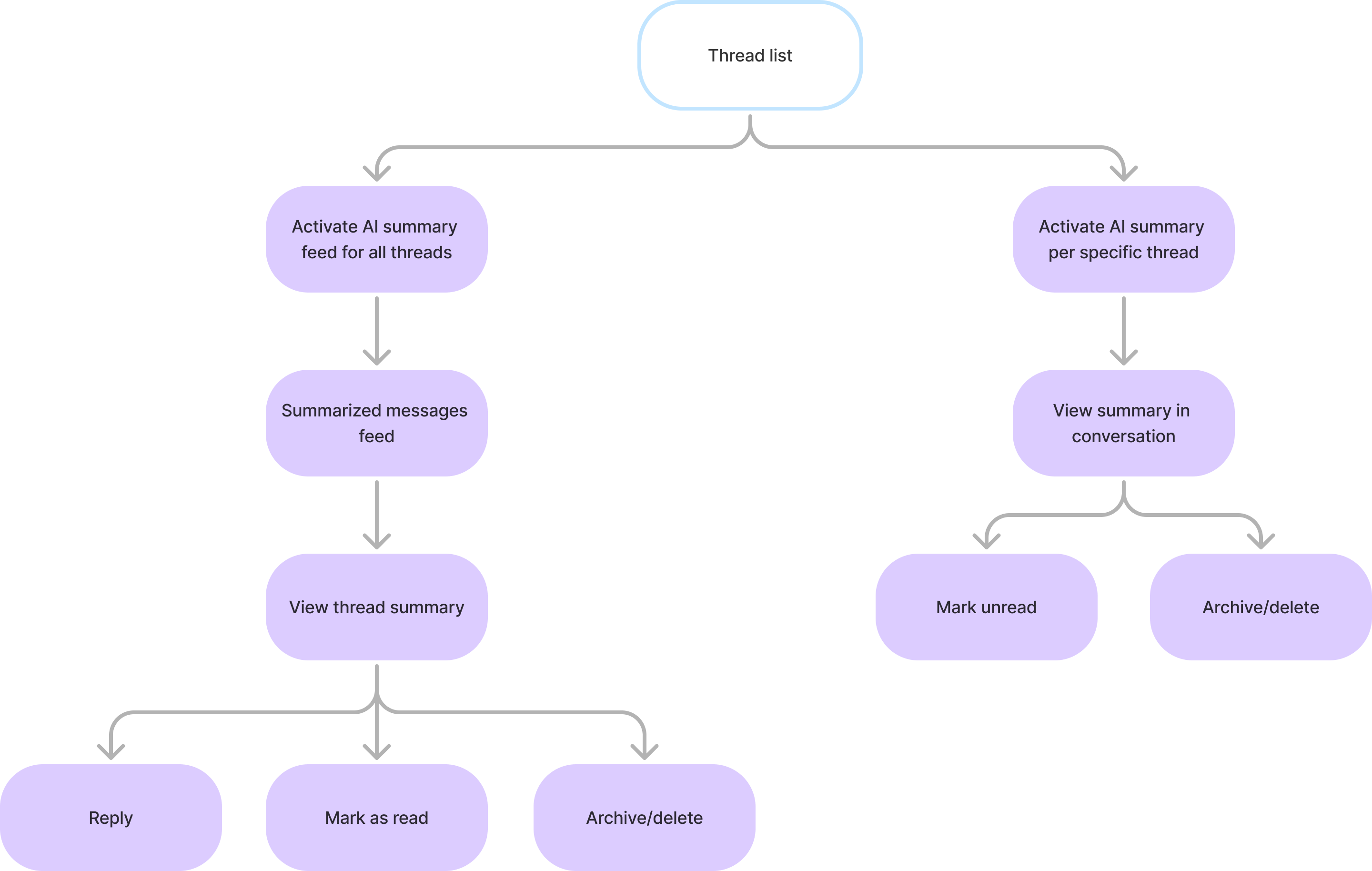
Flowchart
I made a flowchart that lays out the features soit’s easy to see how everything works.
Wireframes
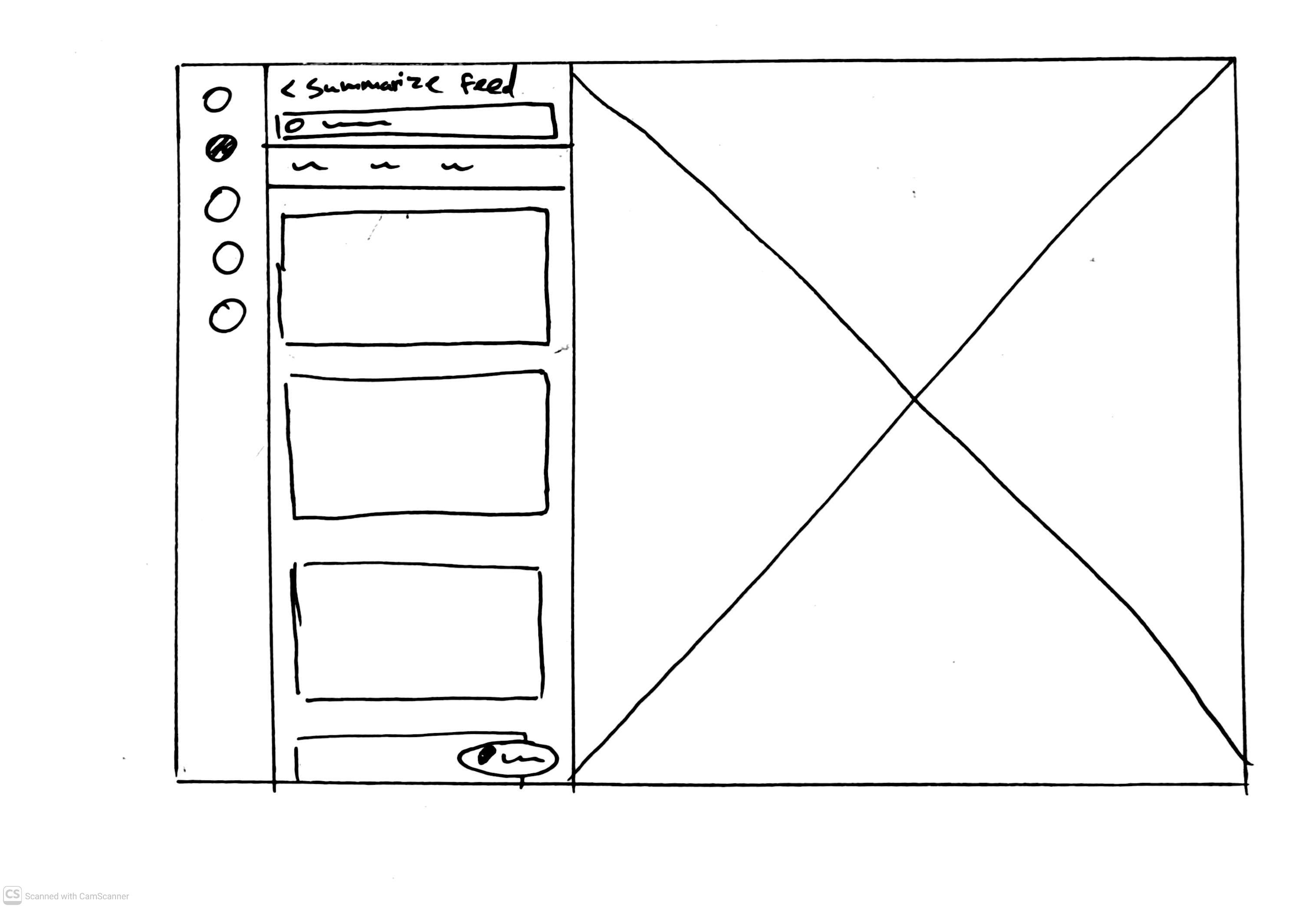
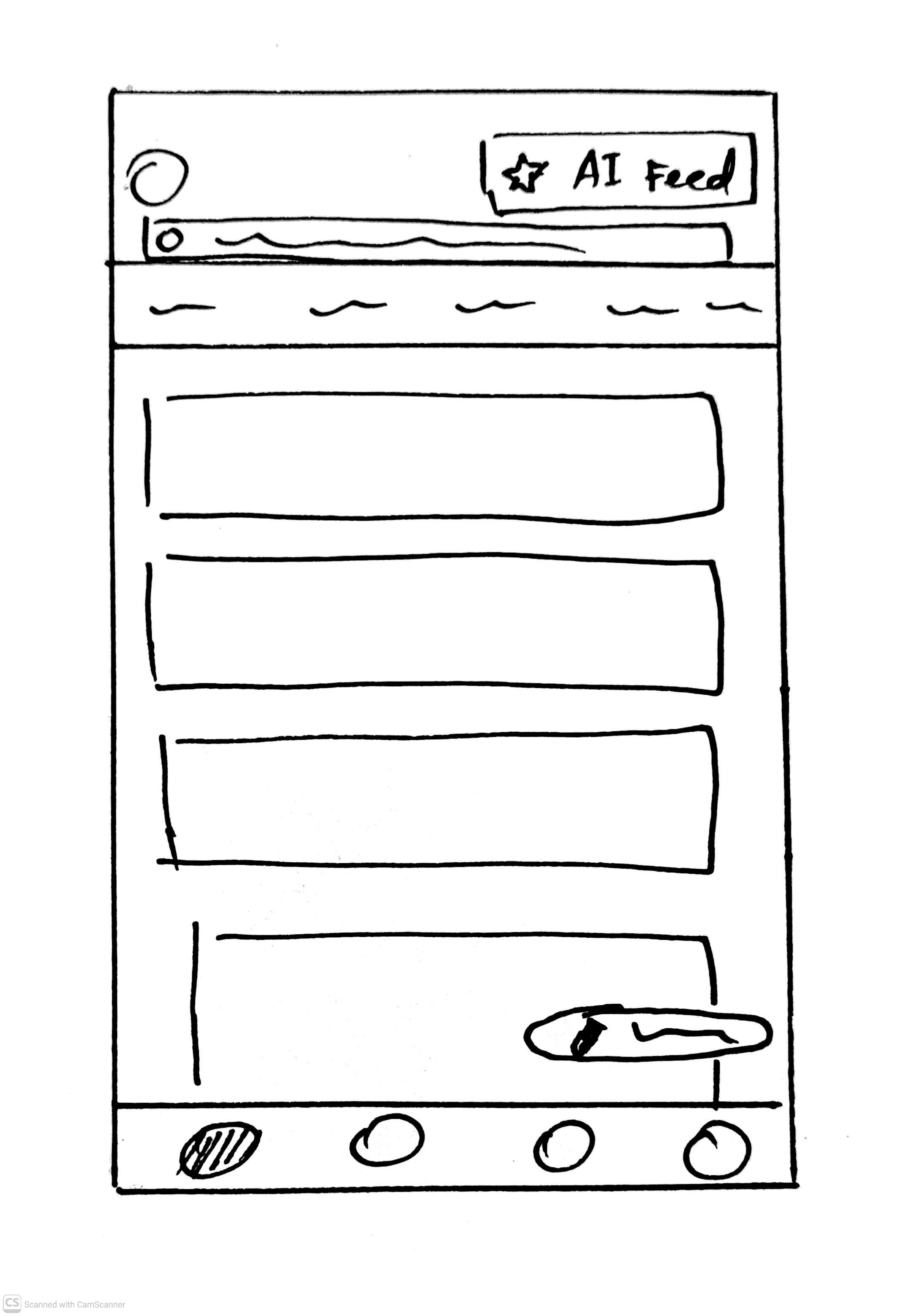
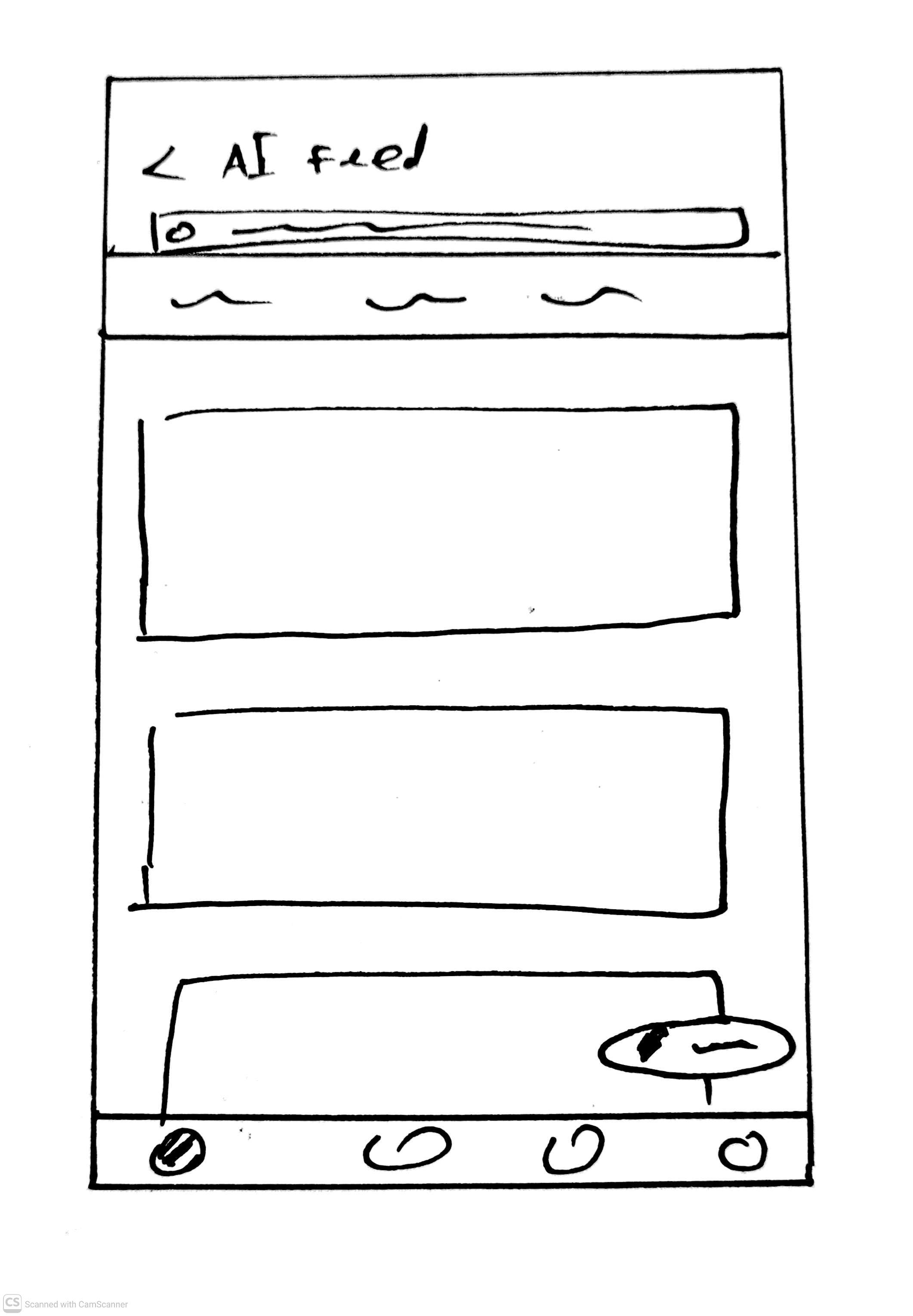
Solution I
Pros
- Clear separation between reading messages and AI generated content.
- Reduces visual clutter in the main reading and writing experience.
Cons
- Introduces extra navigation friction - back and forth between pages.
- Increases cognitive load especially for quick, lightweight actions.
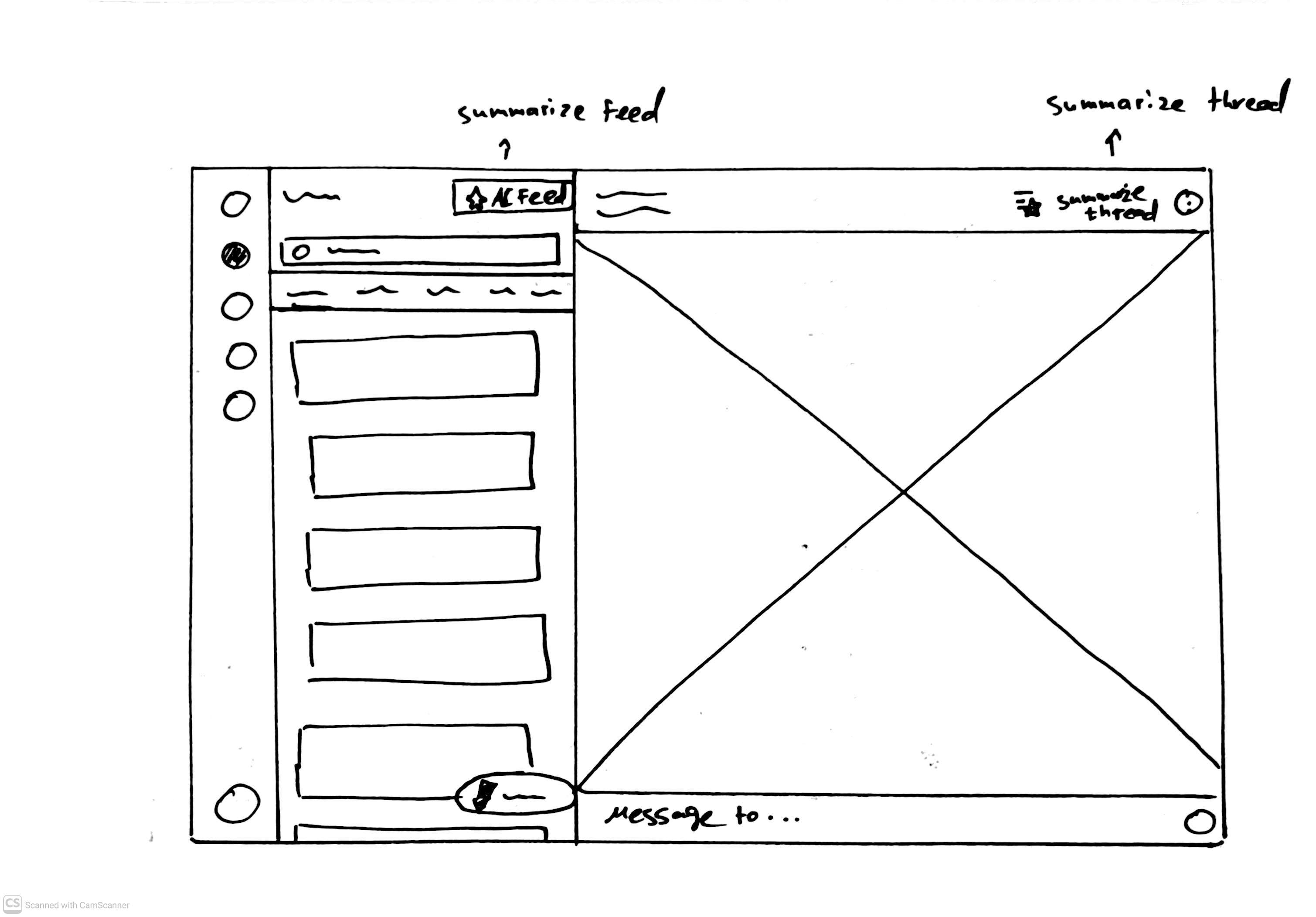
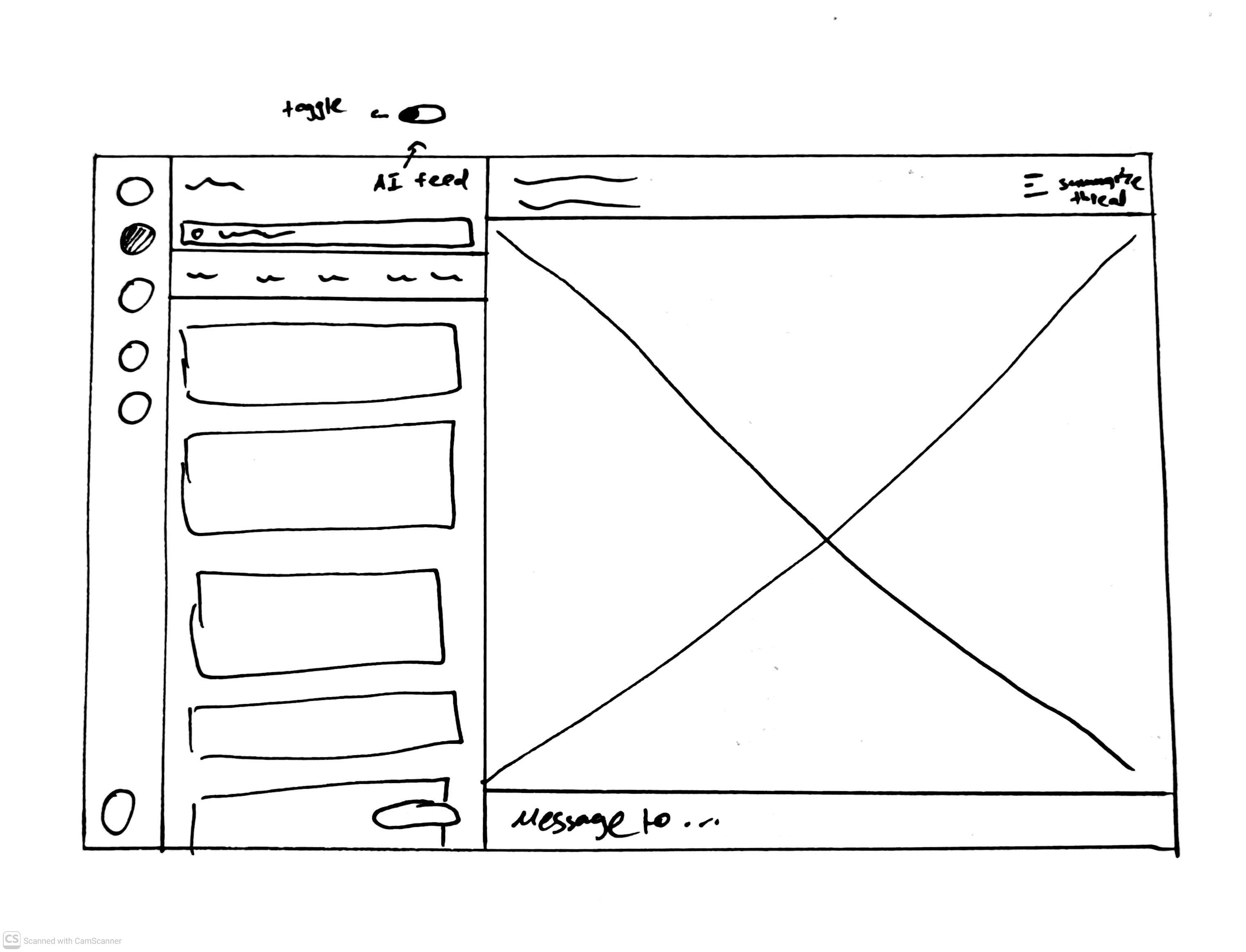
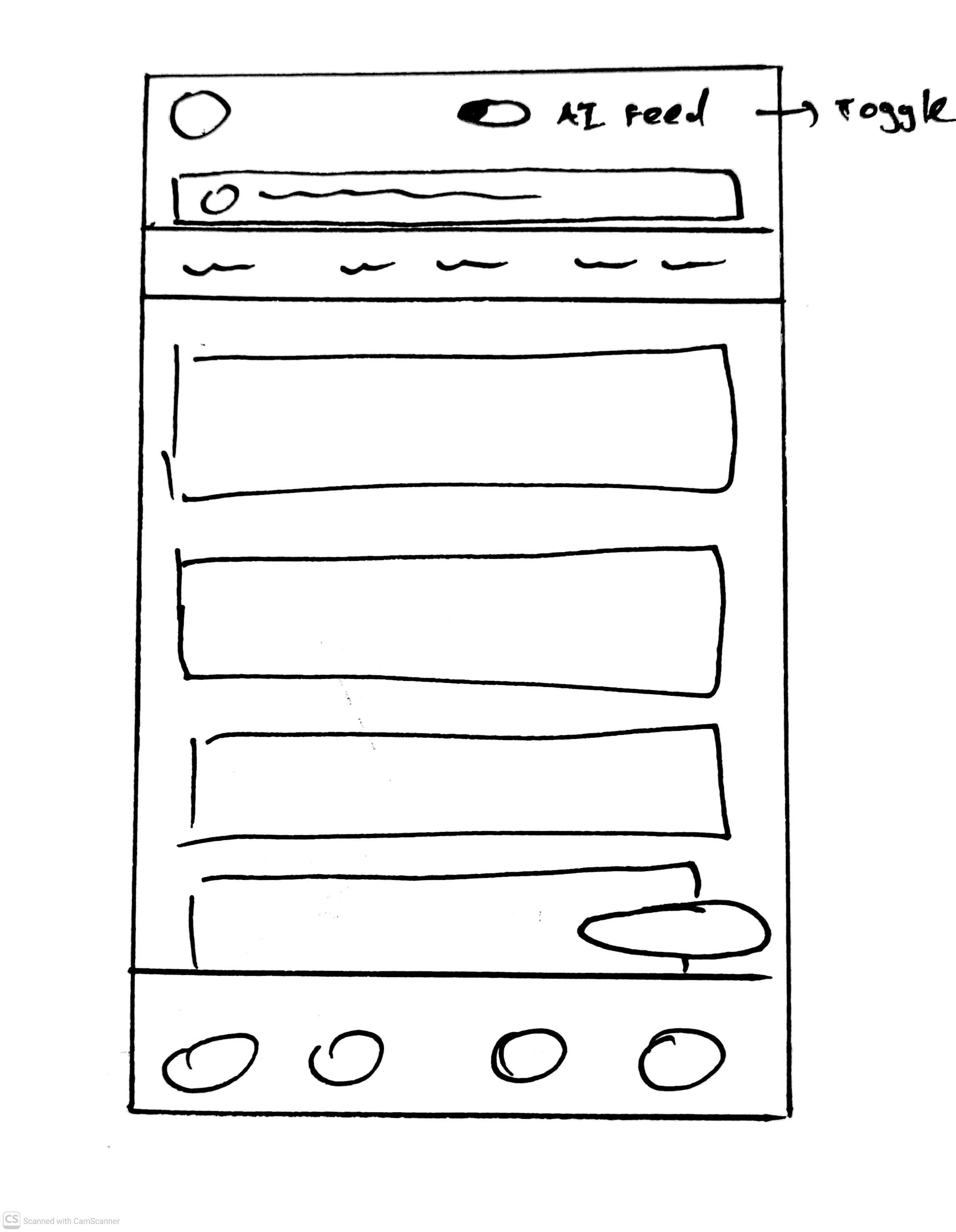
Solution II
Pros
- Fast context switching - users can instantly switch between regular threads and AI summarized threads without navigation or loading a new screen.
- Maintains spatial context - Staying on the same screen preserves orientation and reduces disorientation caused by screen transitions.
Cons
- Visual complexity - supporting two views in the same layout may increase UI density or create visual clutter if not carefully designed.
- State confusion - users may forget which mode they are in (summary vs. regular), especially when switching between threads.
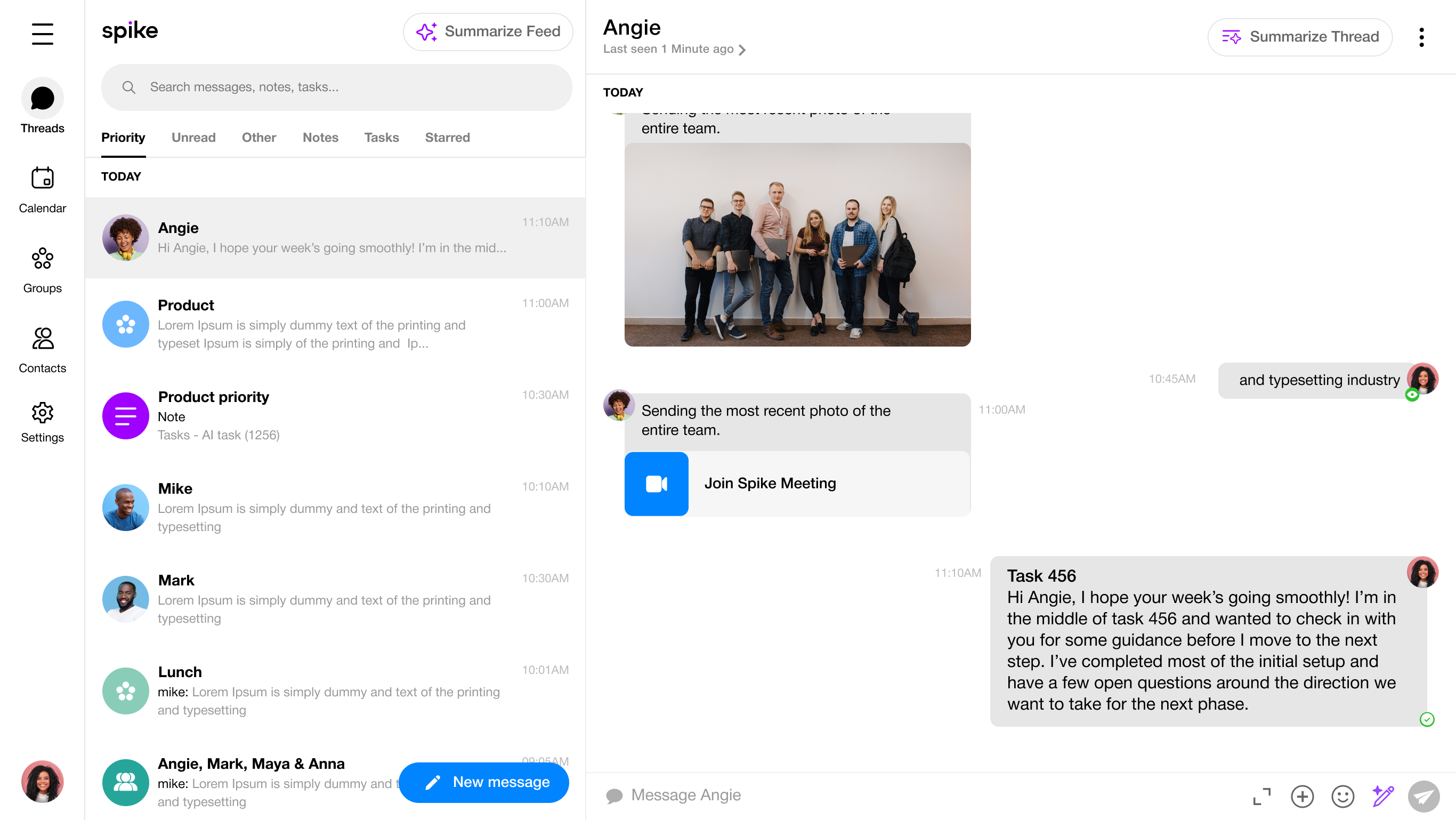
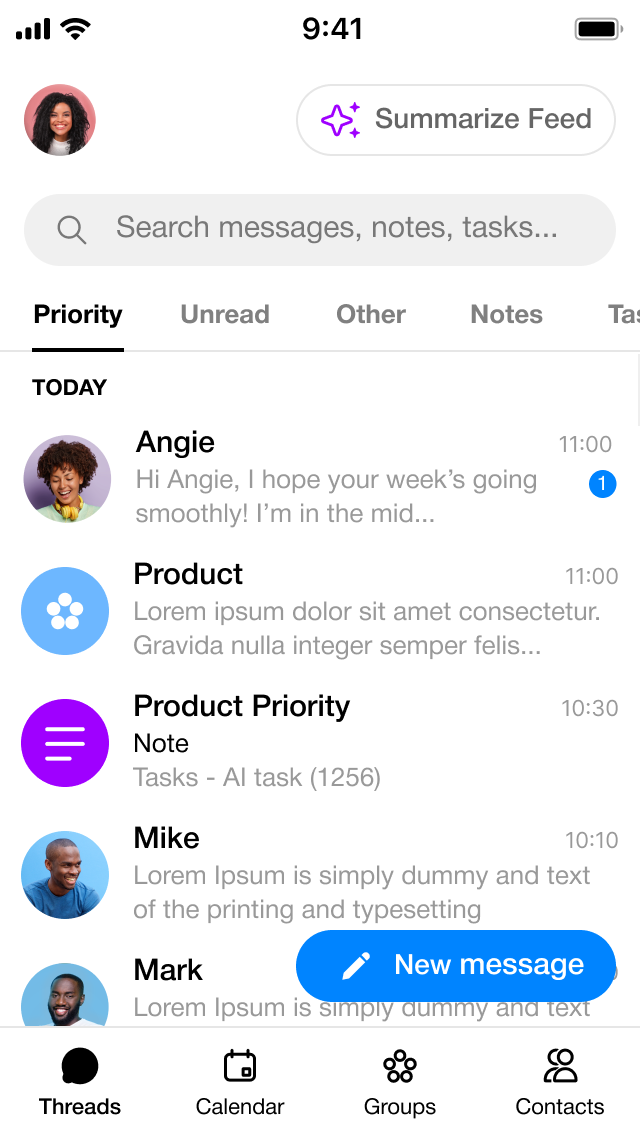
Design - Solution II selected
We chose the second option
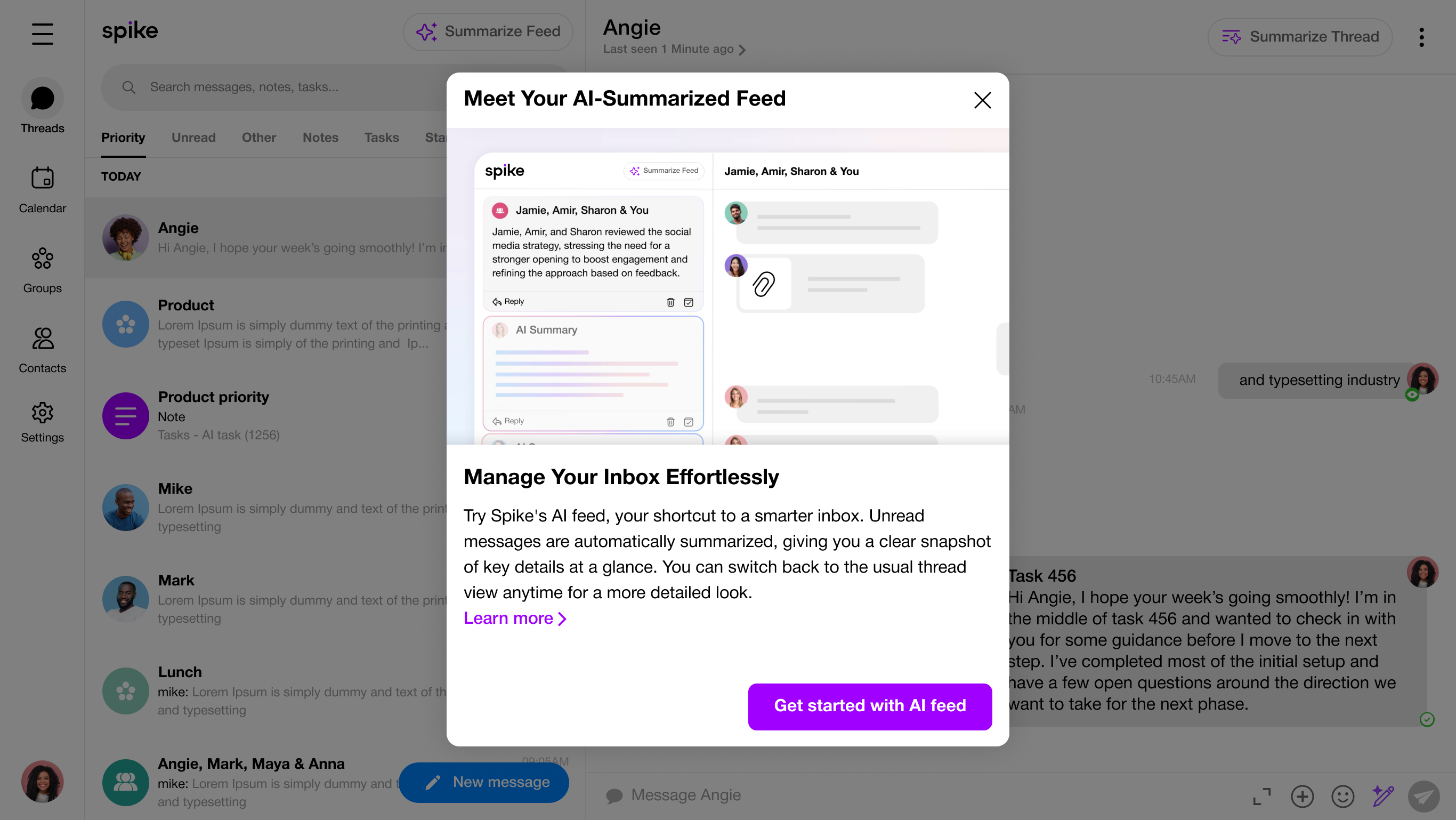
It allows users to switch views instantly without navigating away, reducing friction and creating a more seamless and convenient experience.On first interaction, a short explainer video modal is shown to clarify the feature, allowing users to decide whether to activate it or not.
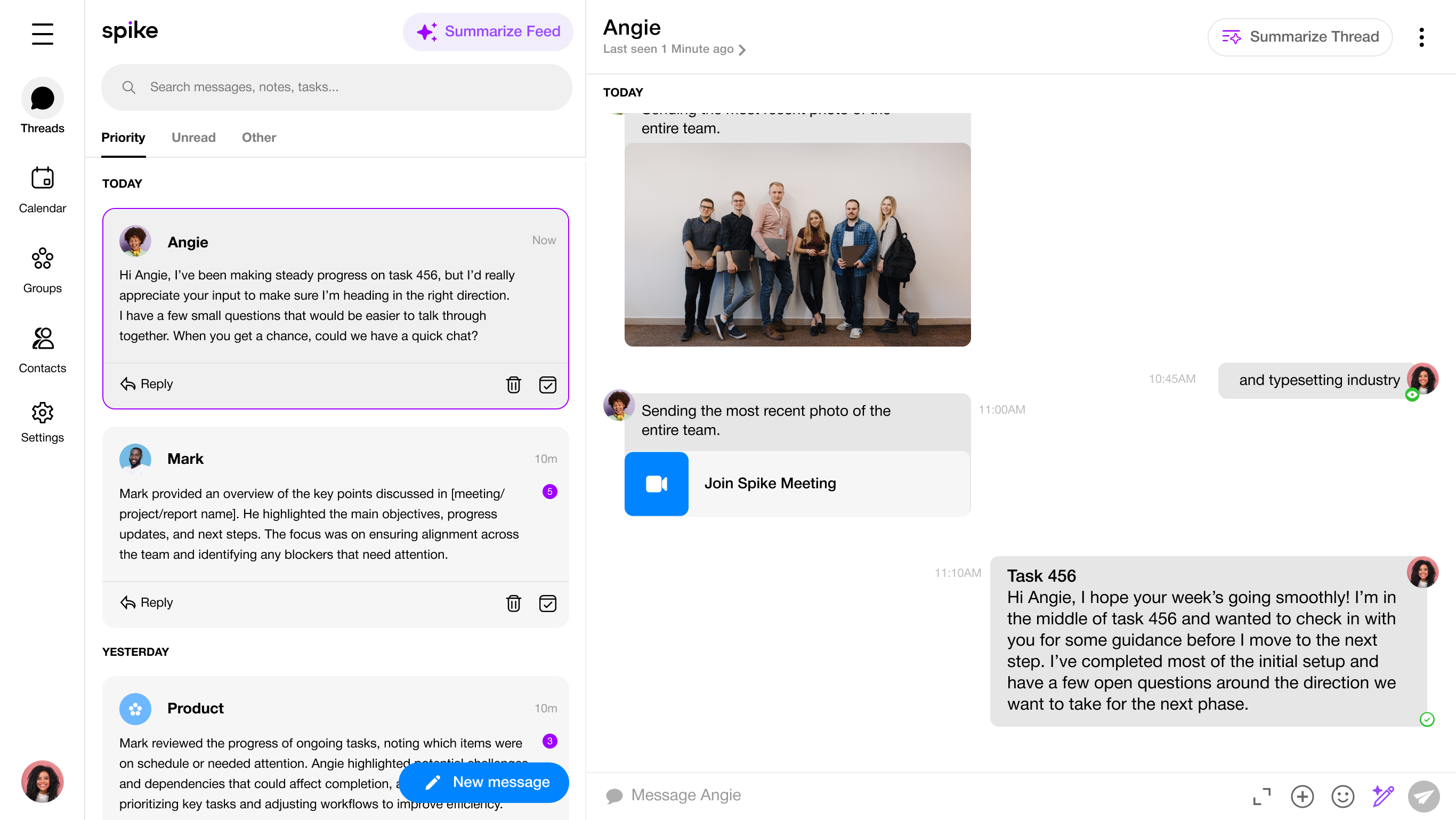
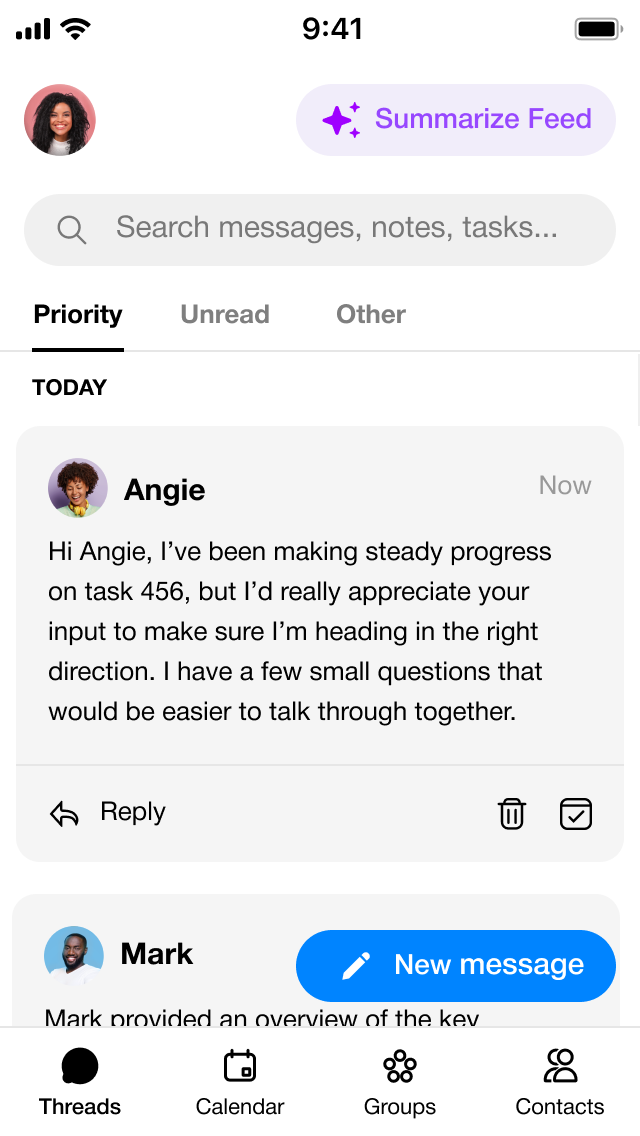
Summarize Feed view
When the user toggles on the AI feed view, the feed transitions into a summarized layout that highlights the key points of each message.This allows users to quickly scan and understand conversations without opening individual messages, reducing cognitive load and saving timeespecially when managing a high volume of communication.
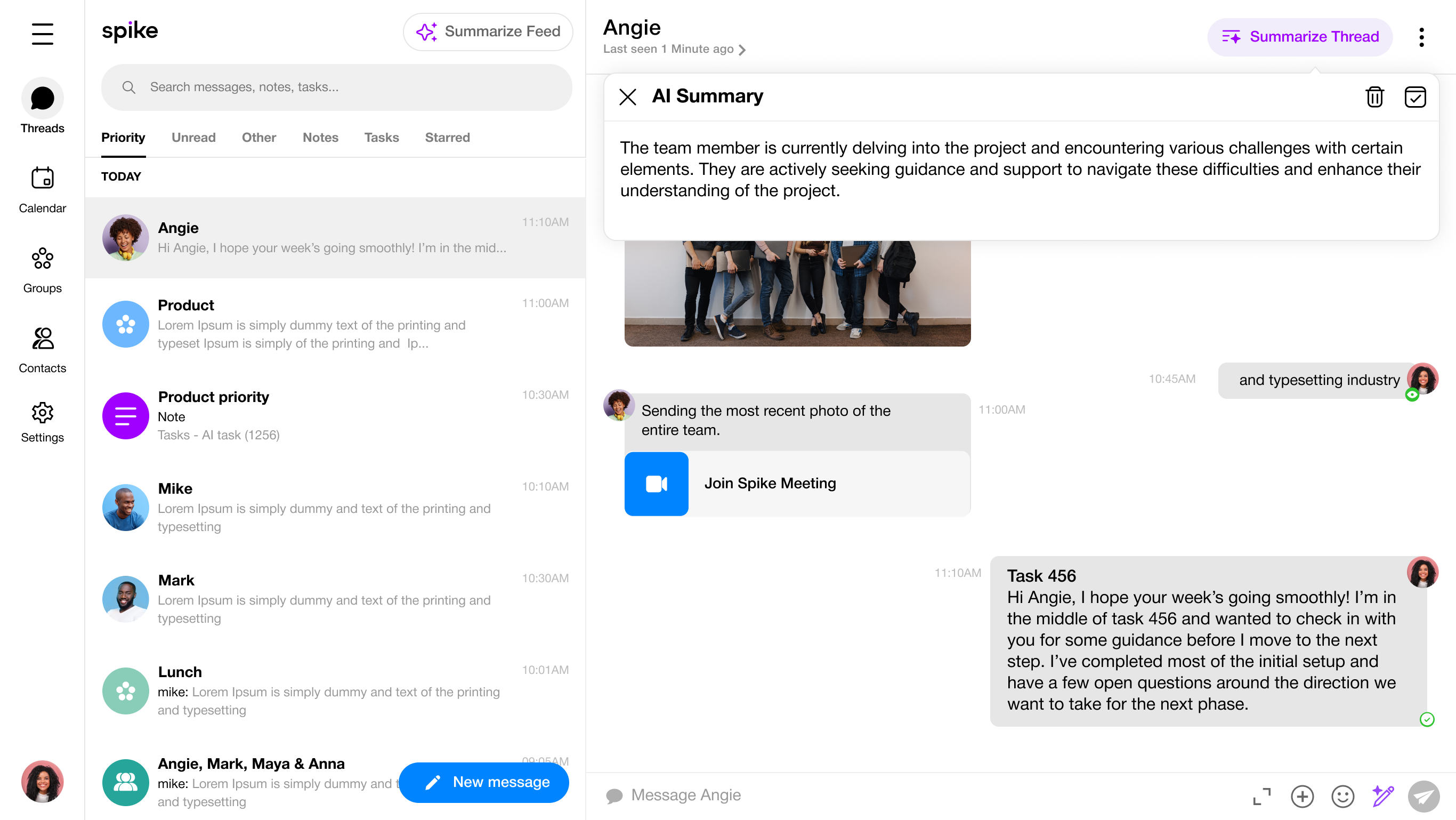
Summarize in conversation
At the top of the conversation, users can toggle Summarize Thread to instantly view an AI generated summary of the messages they’ve received. When enabled, a floating AI Summary panel appears, highlighting the key points of the conversation without requiring users to scroll through the entire thread. This allows users to quickly understand the context, progress, and open questions especially useful when returning to a conversation after some time or when dealing with long message histories. The summary is optional and non intrusive, giving users control over when they want a high-level overview versus a detailed view of the messages.

Spike
AI Summary
Manage your inbox with anAI-powered feed
Web · Desktop App · Mobile App · UX/UI · 2025
Company Background
Collaborative email platform
Spike is a collaborative email platform that transforms email into a chat-like experience. It brings multiple email accounts into a single interface, enables team collaboration through shared workspaces, and integrates AI tools to support writingand message organization.With AI Summary users can switch the feed from the regular view with standard threads to an AI summarized view that highlights condensed threads. They can also view AI generated message summaries directly within individual conversations. tool created to support users in writing messages more efficiently, reducing the mental effort involved in finding the right words and saving time throughout the writing process.
The Problem
Daily long messages slow down users’ ability to process information.
An overwhelming volume of messages forces users to skim, increasing the chances of missing critical details and wasting time trying to catch up.
Marketing Research
Email Volume and Efficiency
How much time do users spend reading messages, and how many messages do they need to catch up on?

80-147
Users receive many messages each day.

38%
The messages that are genuinely important.

64 seconds
per message go to distractions,adding up to major focus loss.
Key Insights
What We Discovered from Research?

Too Many Messages
Users are overwhelmed by the number of messages they receive each day, making it hard to tell what’s truly important.

Important Stuff Gets Lost
Important messages that need immediate attention often get lost in the noise of constant notifications and updates.

Delayed Decision Making
Users delay responding to messages because deciding which ones are important takes energy they don’t always have.

Desire for Clarity
Users appreciate information that is clear and to the point, and they want to focus only on what really matters to them.

skip messages
When users are overwhelmed, they tend to skim or ignore messages, increasing the risk of missing or misinterpreting key information.
Solution Overview
AI Feed - Summarize Email Threads
The AI enabled feed streamlines inbox management by providing concise summaries of each email thread before opening it. Users can quickly take key actions, archive, mark as read, or respond without opening individual messages, reducing the time spent navigating and switching between emails.
Additional Feature - Summarize in Conversation
Once a user opens a thread, they can summarize the conversation to extract key points and decisions, making it easier to catch up and stay focused on what matters.
Flowchart
I made a flowchart that lays out the features soit’s easy to see how everything works.
Wireframes
Solution I
Pros
- Clear separation between reading messages and AI generated content.
- Reduces visual clutter in the main reading and writing experience.
Cons
- Introduces extra navigation friction - back and forth between pages.
- Increases cognitive load especially for quick, lightweight actions.
Solution II
Pros
- Fast context switching - users can instantly switch between regular threads and AI summarized threads without navigation or loading a new screen.
- Maintains spatial context - Staying on the same screen preserves orientation and reduces disorientation caused by screen transitions.
Cons
- Visual complexity - supporting two views in the same layout may increase UI density or create visual clutter if not carefully designed.
- State confusion - users may forget which mode they are in (summary vs. regular), especially when switching between threads.
Design - Solution II selected
We chose the second option
It allows users to switch views instantly without navigating away, reducing friction and creating a more seamless and convenient experience.On first interaction, a short explainer video modal is shown to clarify the feature, allowing users to decide whether to activate it or not.
Summarize Feed view
When the user toggles on the AI feed view, the feed transitions into a summarized layout that highlights the key points of each message.This allows users to quickly scan and understand conversations without opening individual messages, reducing cognitive load and saving timeespecially when managing a high volume of communication.
Summarize in conversation
At the top of the conversation, users can toggle Summarize Thread to instantly view an AI generated summary of the messages they’ve received. When enabled, a floating AI Summary panel appears, highlighting the key points of the conversation without requiring users to scroll through the entire thread. This allows users to quickly understand the context, progress, and open questions especially useful when returning to a conversation after some time or when dealing with long message histories. The summary is optional and non intrusive, giving users control over when they want a high-level overview versus a detailed view of the messages.

Spike
AI Summary
Manage your inbox with anAI-powered feed
Web · Desktop App · Mobile App · UX/UI · 2025
Company Background
Collaborative email platform
Spike is a collaborative email platform that transforms email into a chat-like experience. It brings multiple email accounts into a single interface, enables team collaboration through shared workspaces, and integrates AI tools to support writingand message organization.With AI Summary users can switch the feed from the regular view with standard threads to an AI summarized view that highlights condensed threads. They can also view AI generated message summaries directly within individual conversations. tool created to support users in writing messages more efficiently, reducing the mental effort involved in finding the right words and saving time throughout the writing process.
The Problem
Daily long messages slow down users’ ability to process information.
An overwhelming volume of messages forces users to skim, increasing the chances of missing critical details and wasting time trying to catch up.
Marketing Research
Email Volume and Efficiency
How much time do users spend reading messages, and how many messages do they need to catch up on?

80-147
Users receive many messages each day.

38%
The messages that are genuinely important.

64 seconds
per message go to distractions,adding up to major focus loss.
Key Insights
What We Discovered from Research?

Too Many Messages
Users are overwhelmed by the number of messages they receive each day, making it hard to tell what’s truly important.
Important Stuff Gets Lost
Important messages that need immediate attention often get lost in the noise of constant notifications and updates.

Delayed Decision Making
Users delay responding to messages because deciding which ones are important takes energy they don’t always have.

Desire for Clarity
Users appreciate information that is clear and to the point, and they want to focus only on what really matters to them.

skip messages
When users are overwhelmed, they tend to skim or ignore messages, increasing the risk of missing or misinterpreting key information.
Solution Overview
AI Feed - Summarize Email Threads
The AI enabled feed streamlines inbox management by providing concise summaries of each email thread before opening it. Users can quickly take key actions, archive, mark as read, or respond without opening individual messages, reducing the time spent navigating and switching between emails.
Additional Feature - Summarize in Conversation
Once a user opens a thread, they can summarize the conversation to extract key points and decisions, making it easier to catch up and stay focused on what matters.
Flowchart
I made a flowchart that lays out the features soit’s easy to see how everything works.
Wireframes
Solution I
Pros
- Clear separation between reading messages and AI generated content.
- Reduces visual clutter in the main reading and writing experience.
Cons
- Introduces extra navigation friction - back and forth between pages.
- Increases cognitive load especially for quick, lightweight actions.
Solution II
Pros
- Fast context switching - users can instantly switch between regular threads and AI summarized threads without navigation or loading a new screen.
- Maintains spatial context - Staying on the same screen preserves orientation and reduces disorientation caused by screen transitions.
Cons
- Visual complexity - supporting two views in the same layout may increase UI density or create visual clutter if not carefully designed.
- State confusion - users may forget which mode they are in (summary vs. regular), especially when switching between threads.
Design - Solution II selected
We chose the second option
It allows users to switch views instantly without navigating away, reducing friction and creating a more seamless and convenient experience.On first interaction, a short explainer video modal is shown to clarify the feature, allowing users to decide whether to activate it or not.
Summarize Feed view
When the user toggles on the AI feed view, the feed transitions into a summarized layout that highlights the key points of each message.This allows users to quickly scan and understand conversations without opening individual messages, reducing cognitive load and saving timeespecially when managing a high volume of communication.
Summarize in conversation
At the top of the conversation, users can toggle Summarize Thread to instantly view an AI generated summary of the messages they’ve received. When enabled, a floating AI Summary panel appears, highlighting the key points of the conversation without requiring users to scroll through the entire thread. This allows users to quickly understand the context, progress, and open questions especially useful when returning to a conversation after some time or when dealing with long message histories. The summary is optional and non intrusive, giving users control over when they want a high-level overview versus a detailed view of the messages.